

Last month Claude Code confidently wrote me a utility function that already existed in our codebase. It worked fine but it was duplicate code.
Can’t blame the model: Sonnet, Codex, anything else would’ve done the same. Claude had no idea the existing function was there. Our repo is big enough that its native agentic search never found it and nothing in our setup pointed it in the right direction.
The three ways to give Claude context

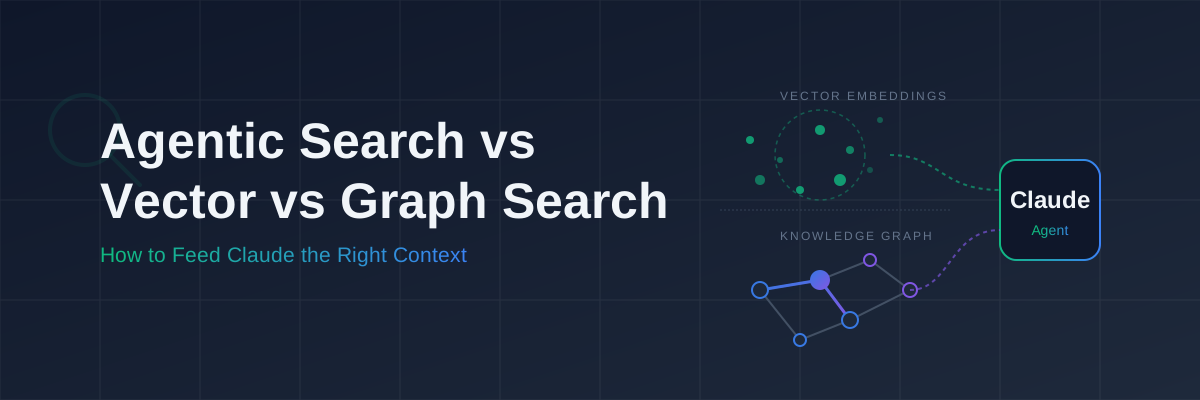
When an agent is working through your codebase it needs to know what already exists and how things are connected. There are a few ways to help it do that:
Agentic search is what Claude Code does by default. It reads the filesystem, and greps for symbols.
Vector search indexes your codebase semantically. You embed code chunks into a vector db like Qdrant, and at query time it pulls back whatever is most semantically similar to what the agent is working on. The answer to “find me something that does a thing like this.”
Graph search maps your codebase as a graph. Tools like GitNexus build out the actual relationship structure and dependency map: which components depend on which services. The answer to “show me everything that breaks if I change this.” Or “how can I start decoupling this tightly coupled low cohesion monolith?”
Greenfield: agentic search is fine, don’t overengineer

If you’re starting from scratch, Claude Code’s built-in agentic search is enough.
On a new project the codebase is small, the agent can hold the relevant parts of the codebase in context. More so if the agent wrote most of it. Agentic search to read the tree and open related files works well here.
Setting up a vector database or a knowledge graph on a project that’s changing structure every week is a waste of time. You’d be maintaining the index more than you’d be using it and waste a lot of R&D cycles.
What you do want early on is a solid CLAUDE.md with guiding skills and enforcing hooks. The patterns you write down first are the ones the agent will follow. Do that before the codebase gets too big.
# CLAUDE.md (greenfield starter)
## Architecture- Monorepo with apps/ and packages/ structure- Feature modules are self-contained: component, hook, service, types in one folder- No barrel exports. Import directly from the file.
## Patterns- All data fetching through React Query, not useEffect- API clients live in packages/api-client only
## Testing- Every new hook needs a test file alongside it- Integration tests in __tests__/ at app rootCLAUDE.md plus agentic search is a good starting point for a greenfield project. Complement it with skills that enforce consistency (more on following post).
Brownfield: where things get murky

Big repos with years of history have patterns buried in files the agent has no reason to open. The existing implementation of whatever you’re building might sit in a module that looks completely unrelated from the outside.
Native search gets you about 70% of the way on most tasks. It’s that other 30% where it hurts: duplicated logic, wrong database access patterns, missed security checks.
That’s when vector and graph search start to pay off.
What Thoughtworks found on legacy codebases
Thoughtworks built an internal accelerator called CodeConcise to tackle this exact problem on large legacy codebases; COBOL and mainframe systems, but the pattern applies anywhere. Instead of treating code as flat text for vector search, they parse the codebase into Abstract Syntax Trees, store those in Neo4j, and layer GraphRAG traversal on top with LLM-generated summaries at each node.
The key thing they found: graph-aware retrieval lets the model navigate logically connected subgraphs instead of just isolated semantically-similar chunks. That’s what stops the kind of duplication and wrong-layer access I’m describing.
On one client engagement, reverse-engineering time for a 10,000-line COBOL module dropped from 6 weeks to 2 weeks. Thoughtworks principal technologist Tom Coggrave and team published the full breakdown on martinfowler.com (September 2024).
Qdrant: semantic search for brownfield
Qdrant is a vector database. You embed your codebase (source files, docs, ADRs, etc) and at query time it pulls back the most relevant chunks.
In practice: when Claude is working on an API endpoint for tenant-scoped billing data, you can surface the existing billing service, the tenant middleware, and the relevant tests before it writes a line of code.
Good for:
- Finding existing implementations of “something like this”
- Surfacing similar patterns in parts of the codebase the agent hasn’t opened
- Reducing duplication on large repos where native search runs out of context
Not good for:
- Understanding what depends on what
- Knowing why something was built a certain way
- Anything that needs the actual call graph
Setting up Qdrant as an MCP server (quickstart)
The fastest way to get this running locally is qdrant-mcp-server, a community project that bundles Qdrant, Ollama embeddings, and AST-aware codebase indexing into a single MCP server. No API keys keys needed.
Prerequisites: Node.js 22+, Docker or Podman with Compose.
Clone and build:
git clone https://github.com/mhalder/qdrant-mcp-server.gitcd qdrant-mcp-servernpm installnpm run buildStart Qdrant and Ollama with the included compose file:
# start Qdrant + Ollamadocker compose up -d
# pull the embedding modeldocker exec ollama ollama pull nomic-embed-text
Register the MCP server with Claude Code:
claude mcp add --transport stdio qdrant \ -- node /path/to/qdrant-mcp-server/build/index.jsOr add it to ~/.claude/settings.json directly:
{ "mcpServers": { "qdrant": { "type": "stdio", "command": "node", "args": ["/path/to/qdrant-mcp-server/build/index.js"] } }}Verify it’s registered:
claude mcp listIndex your codebase, the MCP server exposes this as a tool Claude can call directly:
# in a Claude Code session/mcp__qdrant__index_codebase /path/to/your/projectThe server handles chunking at function and class boundaries using tree-sitter (35+ languages including TypeScript, Go, Python), respects .gitignore, and stores everything in a local Qdrant instance.
Then add a SKILL.md so Claude knows when to reach for it:
## When to use this skill- Before writing any new service, utility or component: search for existing implementations- When working in an unfamiliar part of the codebase- When the task mentions "similar to", "like we do in", or references an existing feature- Before adding a new dependency: check if we already solve this problem
## How to use1. Check index status: /mcp__qdrant__get_index_status /path/to/project2. Formulate a natural language query describing what you're looking for3. Call /mcp__qdrant__search_code with that query4. Review results for relevant existing patterns before writing new code5. If similarity > 0.85 on any result, read that file before writing anything new
## What to do with results- High similarity (>0.85): probably exists, go look at it properly- Medium similarity (0.6-0.85): related pattern, worth reviewing- Low similarity (<0.6): novel enough to proceed, but note what you foundGitNexus: graph search for structural understanding
GitNexus works differently: instead of semantic similarity, it builds a knowledge graph of the actual structure of your codebase (functions, files, dependencies).
Where Qdrant answers “what code is similar to this?”, GitNexus answers “what does this function call, and what calls it?”
Microsoft Research’s GraphRAG (2024) showed that graph traversal consistently beats pure vector search for queries that need multi-hop reasoning: connecting things that are related but not semantically close. The Thoughtworks CodeConcise work reaches the same conclusion from field experience. For structural questions, deterministic graph traversal wins.
Good for:
- Getting an agent oriented in an unfamiliar service boundary
- Understanding the real call graph, not the agent’s best guess at it
Not good for:
- Finding semantically similar code in distant parts of the codebase
- Surfacing patterns from docs or ADRs
Setting up GitNexus as an MCP server
npm install -g gitnexusIndex your repo, index your codebase:
npx gitnexus analyzeAdd to your MCP config:
npx gitnexus setupSKILL.md for GitNexus:
## When to use this skill- Before modifying any shared utility, base class, or service interface- When asked to add a parameter to a function that may be called from many places- When working on a service you haven't touched before: map its boundaries first- When a change might affect database schemas, event contracts, or API shapes
## How to use1. Call gitnexus with the file or function you're about to change2. Review the callers list before making interface changes3. Review the dependency graph before adding imports that might create cycles4. If impact is high (>10 callers), flag this for human review before proceeding
## Rules- Never modify a public interface without first running a gitnexus impact check- If the impact graph shows cross-service dependencies, stop and askOptional: Start the UI
Run
npx gitnexus@latest serveBrowse to https://gitnexus.vercel.app/ or run the UI locally:
git clone https://github.com/abhigyanpatwari/gitnexus.gitcd gitnexus/gitnexus-shared && npm install && npm run buildcd ../gitnexus-web && npm installnpm run devRunning both vector and graph: what it actually looks like in practice
Our main service codebase is around 400k lines, twelve years old, and its architecture has grown organically.
Qdrant handles semantic retrieval: “find me how we’ve handled paginated queries before”, “show me existing error handling patterns for this service type.”
GitNexus handles structural retrieval: “what calls this function”, “what imports this module”, “show me the dependency graph for the billing service.”
The CLAUDE.md ties it together:
## Context retrieval protocol
Before starting any task, follow this sequence:
### Step 1: Semantic search (Qdrant)Search for existing implementations related to what you're about to build.Query: describe the feature or pattern in plain language.If similarity > 0.8 on any result, read that file before writing anything new.
### Step 2: Structural mapping (GitNexus)If the task modifies an existing function or module:- Run a GitNexus callers check on the function you're changing- Run a dependency graph check on the module- If more than 5 callers, note this in your plan and flag for review
### Step 3: Proceed with contextOnly start generating code after both checks are done.Document what you found in the PR description.While all this sounds like a lot of overhead, it has decreased the time Claude Code takes to create a plan when adding or modifying a feature, at the expense of extra tokens. Side note, the PR annotation is genuinely useful. Everything gets documented for a human reviewer.
Keeping indexes fresh
While this is a starting point, as soon as you change a file, the indices get stale.
For Qdrant, no external watcher needed. The qdrant-mcp-server ships a reindex_changes tool that handles this natively: it diffs against the last indexed state and only re-embeds what’s changed.
The workflow for a local dev session:
# start of session: full baseline index/mcp__qdrant__index_codebase /path/to/your/projectAfter that, call reindex_changes whenever you want the index caught up:
# after a batch of edits/mcp__qdrant__reindex_changes /path/to/your/projectYou can also ask Claude to run it as part of a skill. Add this to your SKILL.md:
## Keeping the index currentBefore starting any new task, run:/mcp__qdrant__reindex_changes /path/to/your/project
This picks up any files changed since the last index without doing a full reindex.That way Claude refreshes the index automatically at the start of each task, not on every save, which keeps embedding costs low.
For GitNexus: full reindex on structural changes (new files, deleted files, renamed methods), skip it for content-only changes. The graph doesn’t change when you update a function body, only when you change what calls what.
When none of this is worth it

If your your codebase is small or have a small team that needs to focus on growth don’t bother. The maintenance overhead isn’t worth it yet.
Native Claude Code search on a well-structured codebase with a tight CLAUDE.md will get you very far.
My litmus test is: if agents are consistently duplicating logic or making the wrong architectural call in a particular area of the codebase, that’s where better retrieval helps.
What I’m still figuring out

The indexing strategy is the part I’m least sure about. How fine-grained to chunk code, what metadata to store alongside it, whether to embed docs separately or mixed with code. We’re still iterating on this and the answer will depend on each codebase.
The graph is also only as useful as the structure underneath it. On a codebase that’s been through several architectural migrations (ours has), GitNexus sometimes surfaces some genuinely confusing dependency tangles. That’s useful to know, but it means the agent occasionally surfaces “what exists” rather than “what should exist.” A human architectural review by a senior engineer matters here.
These emerging tools show promise, as seen in Thoughtworks Radar, keeping them accurate and fresh is the actual work.
Further reading
- Thoughtworks / Martin Fowler: Legacy Modernization meets GenAI — Ferri, Coggrave & Sheth (September 2024). The full CodeConcise architecture write-up: AST → knowledge graph → GraphRAG pipeline and the 3× improvement on a live client engagement.
- Microsoft Research: GraphRAG — the research and open-source library behind graph-aware RAG; good for understanding why graph traversal beats vector similarity on relational queries.
- Anthropic: Claude Code documentation — the reference for agentic search behaviour, CLAUDE.md structure, and MCP server integration.
- Qdrant: Qdrant MCP Server — official docs for the vector database MCP integration.
If you’ve got a different setup for brownfield context retrieval, or you’ve found a better chunking strategy for Qdrant I’d like to hear it.